

This guide walks you through building a "Financial Firewall" for your OpenAI integration.
We will start with a simple Python script that works for a single developer.
🧪 The "Naive" Implementation
If you are running a simple script locally, you can track spend by wrapping your OpenAI calls and updating a local ledger file.
Prerequisites:
- pip install openai
- A local file named budget.json initialized with {"current_spend": 0.00}
The Code:
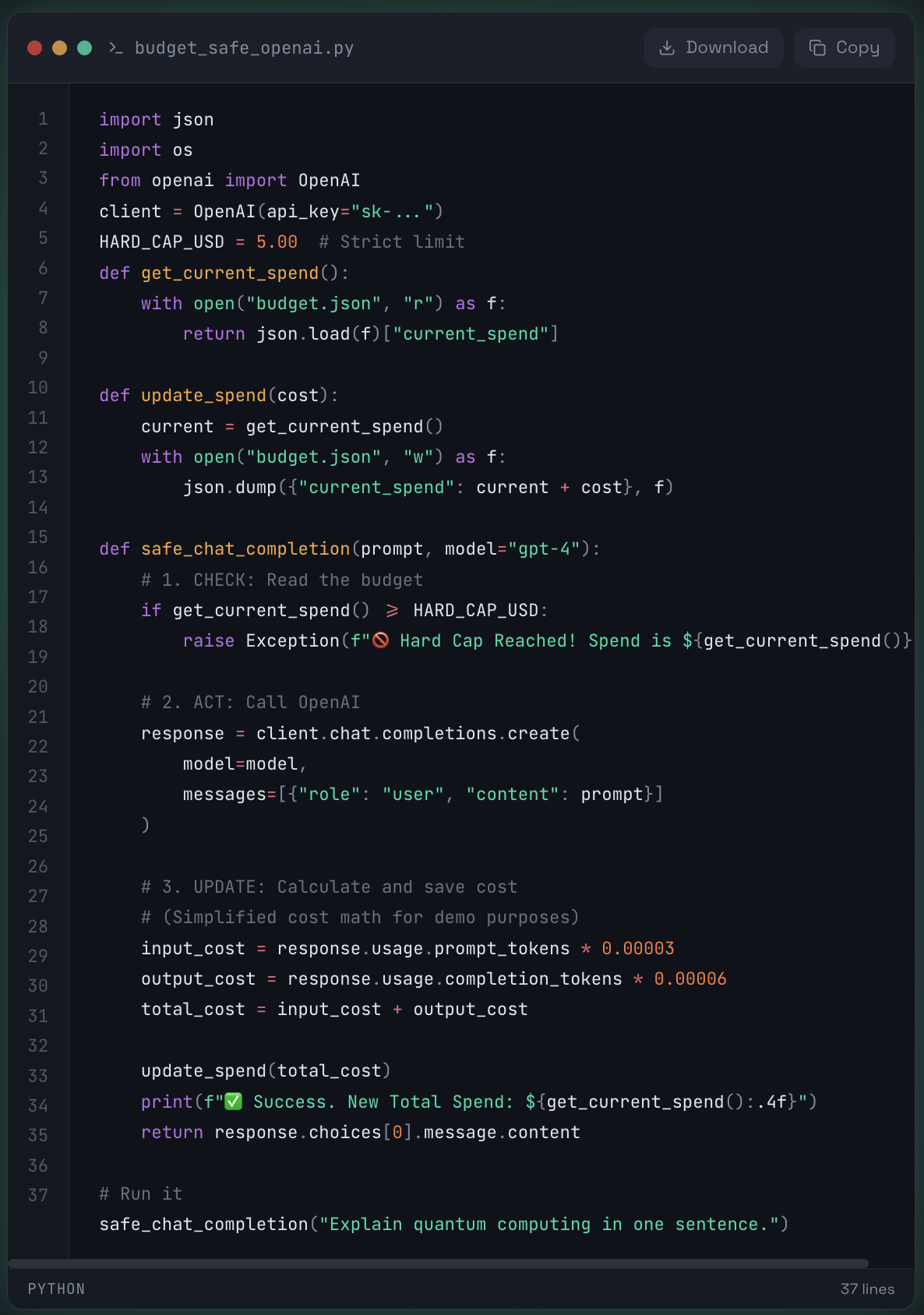
Result:
It works perfectly... on your laptop.
⚠️ Why this fails at scale
The moment you deploy this code to a real application (e.g., a Flask app with Gunicorn workers or AWS Lambda functions), your hard cap becomes a soft suggestion.
The culprit is the "Check-Then-Act" Race Condition.
The Scenario:
Imagine you have $4.99 spent and a $5.00 cap.
Request A comes in. It checks budget.json and sees $4.99. It proceeds.
Request B comes in (milliseconds later). Request A hasn't finished writing the new cost yet. Request B also reads $4.99. It proceeds.
Request C comes in. It also sees $4.99.
The Consequence:
Instead of stopping at $5.00, your app processes all three requests simultaneously.
If each request costs $0.10, you end up spending $5.29 before the file updates.
In high-throughput environments (e.g., 100 concurrent users), this "leakage" can result in thousands of dollars of overage because the "Check" (Reading the budget) and the "Update" (Writing the cost) are not atomic—they are separated by the API latency (1–3 seconds).
📊 Why not use OpenAI's usage limits?
OpenAI's built-in billing dashboard has a delay (often 5–10 minutes).
It is a "reporting" tool, not a "blocking" tool.
By the time OpenAI realizes you've hit your hard limit, you might have already blown past it by 20%.
🛠 The Solution
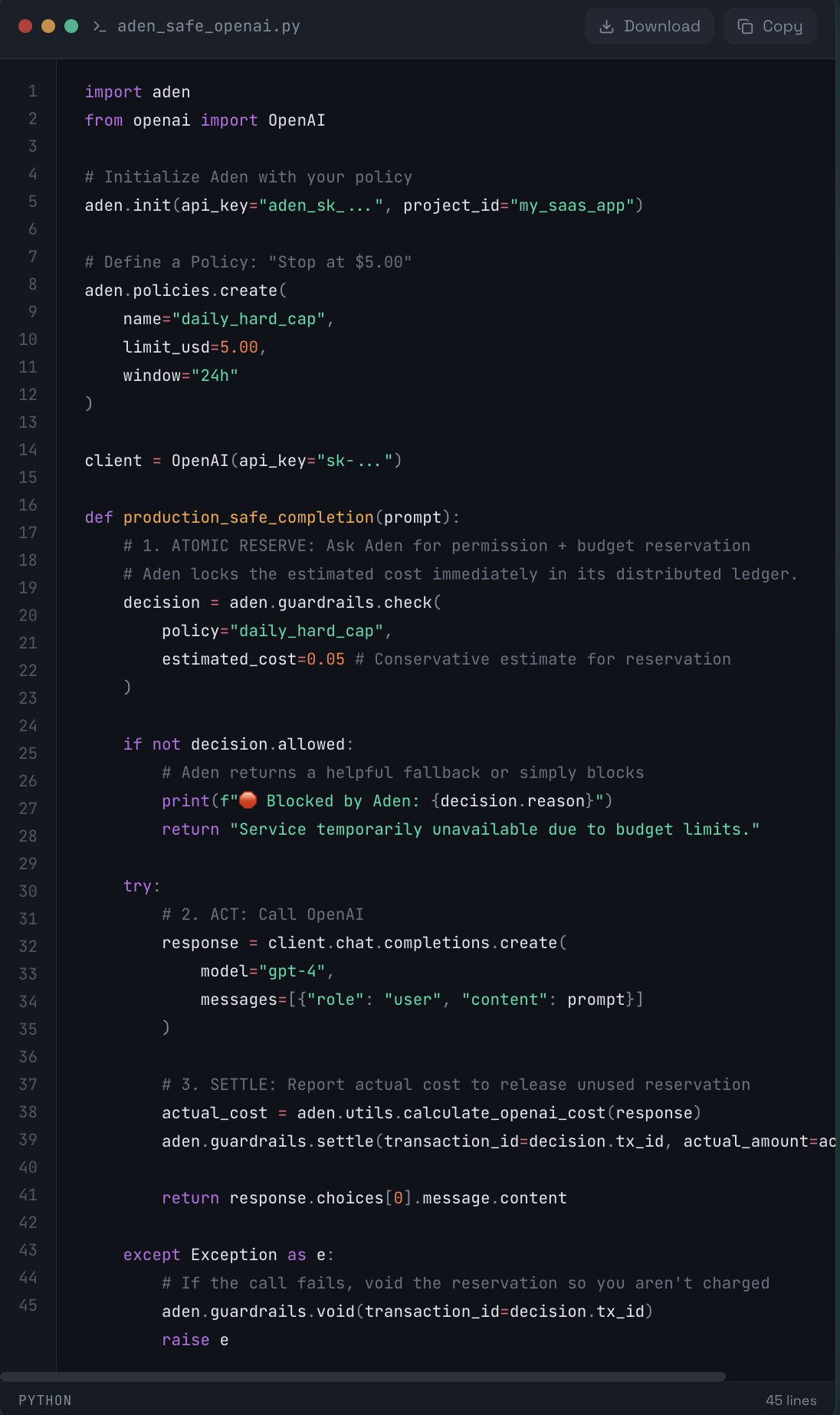
To fix this, you need a Stateful Cost Control Agent—a centralized ledger that reserves budget before the request is sent, not after. Aden solves the concurrency problem by using Atomic Asset Reservations. Instead of "Checking" and then "Acting," Aden "Reserves" funds in a single atomic transaction.
🚀 The Aden Implementation:
🧩 Why this works:
No Race Conditions:
Aden's backend handles the concurrency. If two requests fight for the last penny, only one gets the decision.allowed = True.
Accuracy:
By "Reserving" first and "Settling" later, you ensure that concurrent requests don't exceed the budget even while they are processing.
Distributed:
This works across Serverless functions, Kubernetes pods, and different regions effortlessly.